Community scripts › Built into Depth › TPO profile
What it shows
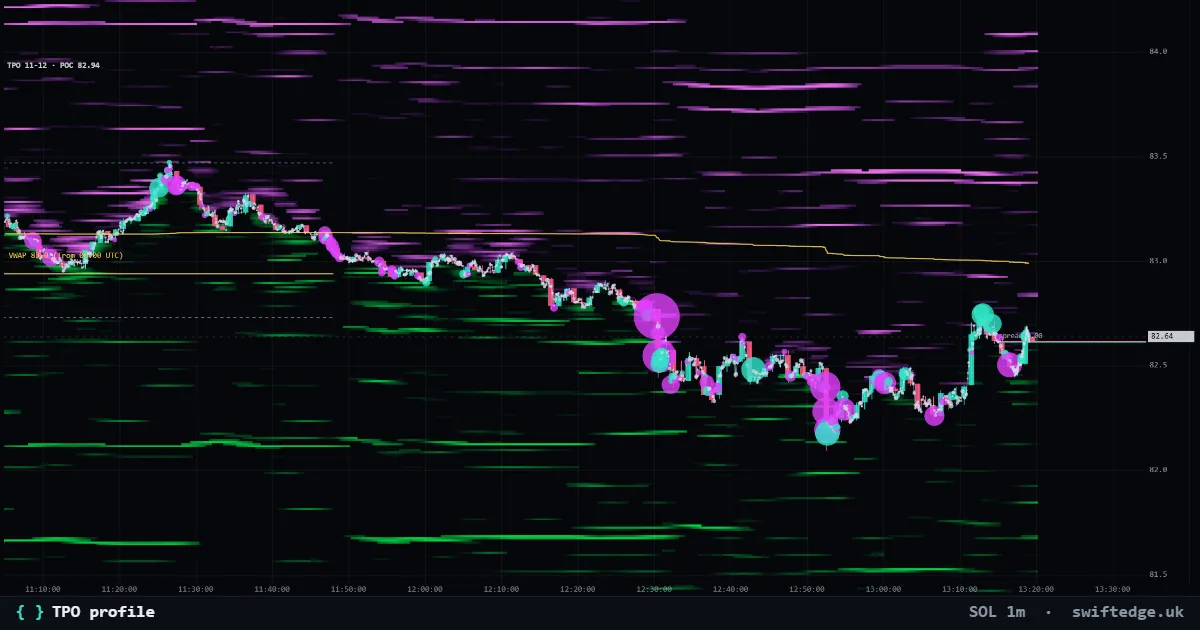
Market profile: a letter for every 30 minutes price traded at each level, with POC, value area, initial balance and single prints.
How to read it
Time price opportunities count how long price spent at each level rather than how much traded. A, B, C ... mark the half-hour periods from 7:00 PM ET (00:00 UTC). The initial balance is the first hour's range; single prints are levels touched in only one period, where price moved fast.
How it's calculated
Each 30-minute period from 7:00 PM ET (00:00 UTC) gets a letter (A, B, C ...), and the letter is printed at every price traded in that period. The result counts time spent at each price instead of volume, with the POC, the value area (70 %), the initial balance (the first hour's range) and single prints.
What it can't tell you
TPO counts time, not size: a price visited for many periods with little volume weighs the same as a busy one.
Settings in Depth
| Letter per | 30 minutes |
| Rows | auto (from the zoom) |
| Value area % | 70 |
FAQ
What is a single print?
A price touched in only one 30-minute period, which usually means price moved through it fast.
What is the initial balance?
The range of the first hour of the UTC day.
How is TPO different from Volume profile?
TPO counts how long price spent at each level; Volume profile counts how much traded there.