Swiftedge Depth · Solana
Free live Solana footprint chart
A footprint chart splits every candle into price rows and shows how much SOL was sold and how much was bought at each one. Swiftedge Depth builds it live from every trade in the Binance SOLUSDT perpetual and draws it over the order book heatmap, so you see what traded next to what was resting. Free, in the browser, no sign-up.
Open the live Solana footprint.One-minute candles to start; switch the timeframe in the top bar.
Solana footprint Bitcoin footprint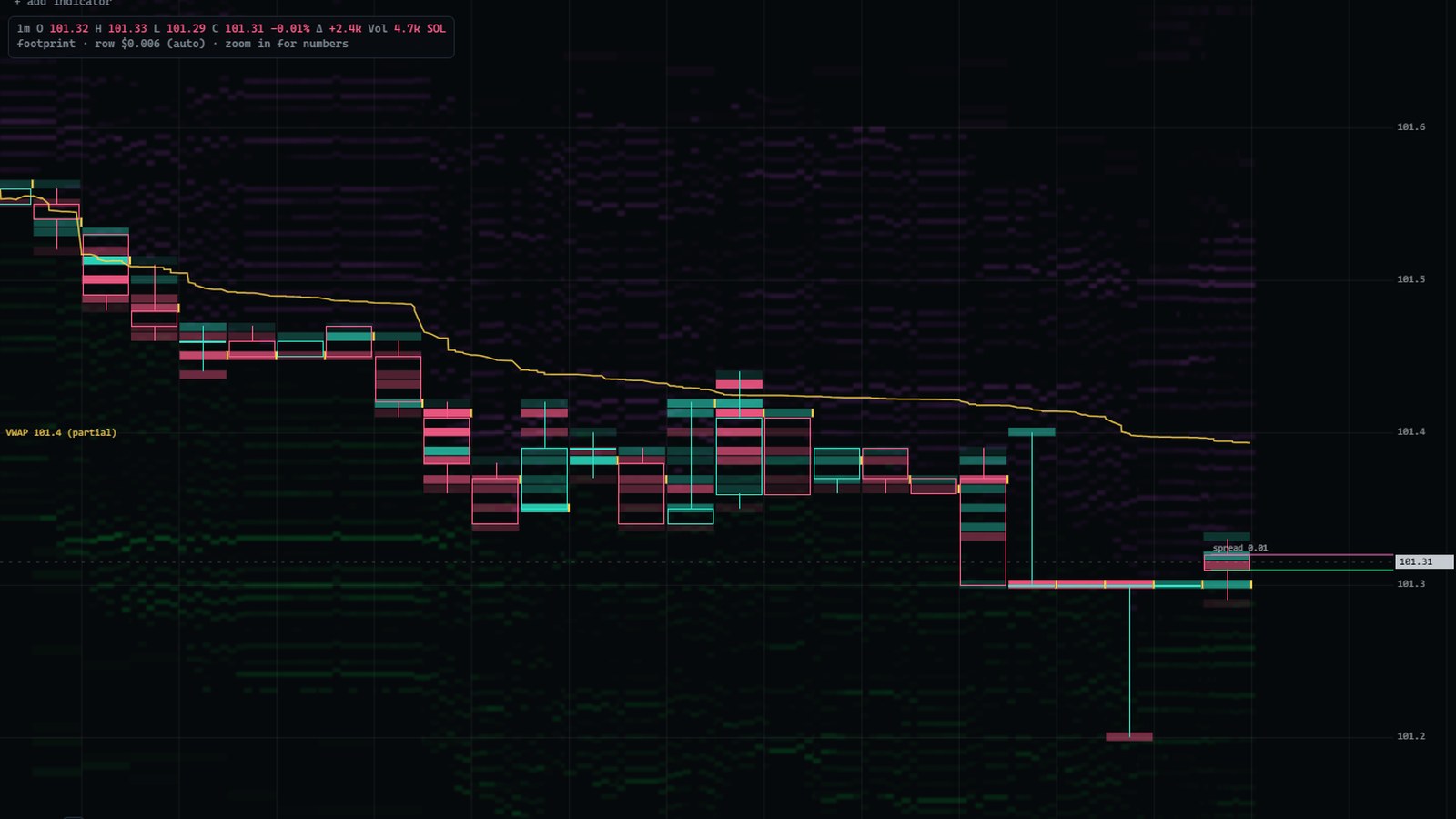
What it shows on Solana
Inside each candle, every row has two numbers. The left one is SOL sold into the bid at that price, the right one SOL bought from the ask. A bar behind each number grows out from the middle of the cell, so the busiest prices catch the eye first. Below the chart, a table lists each candle's volume, its delta (bought minus sold) and delta as a share of volume.
- Diagonal imbalances: buying at one price is compared with selling one row lower. When one side is at least three times the other (300 %), the number is highlighted, teal for buyers and pink for sellers. Three or more in a row form a stacked imbalance and get a bar along the edge of the candle.
- Point of control (POC): the row where the most SOL changed hands in each candle has a yellow frame.
- Zoom: zoomed in you read the numbers; zoom out and each row becomes a coloured cell; zoom out further and the candles turn into ordinary candlesticks.
Footprints on a coin like Solana
SOL tends to move with a higher beta than Bitcoin, and its futures book is usually thinner. The footprint shows both sides of that: rows inside a candle where a lot of SOL traded, and rows a move passed through with little volume. Set against the resting liquidity in the heatmap behind them, they show where a move met size and where it did not. Because the numbers are in SOL, compare rows within the same chart rather than with the Bitcoin footprint: the same dollar volume is a far larger number of coins.
How to read it
The steps are the same as for Bitcoin and are explained with examples on the footprint chart page: start with each candle's delta, find the point of control, look for imbalances and stacked imbalances, check the edges of the candle for thin trading, and compare the numbers with the liquidity resting in the heatmap behind them. Stacked imbalance zones are covered in the stacked imbalance guide.
Open SOL candles with imbalance zones
Everything else for Solana
- Solana order book heatmap: what the SOL heatmap shows and how to read it.
- Solana liquidation heatmap, SOL liquidations today and the liquidation heatmap guide.
- Solana options chain, SOL max pain, SOL GEX and SOL levels today.
- SOL whale trades, funding and open interest.
What it can't tell you
The footprint records trading that already happened on one venue, Binance's SOLUSDT perpetual. It leaves out spot markets, on-chain exchanges and other futures venues, and says nothing about where price goes next. It is a precise record of who traded where, not a signal.
Common questions
Is there a free Solana footprint chart?
Yes. Swiftedge Depth draws a live footprint chart for SOLUSDT in the browser, free and without an account. Open Solana Depth and pick the footprint icon in the top bar.
Where does the Solana data come from?
Every trade in the Binance SOLUSDT perpetual futures book, with the exchange's own aggressor side, so the split between buying and selling at each price is measured, not estimated. It is one venue, not the whole Solana market.
Why are the numbers so large compared with Bitcoin?
Volumes are counted in SOL, and one SOL costs a small fraction of one Bitcoin, so the same dollar amount is many more coins. Row sizes are scaled to the SOL price in the same way and follow the zoom unless you fix them in the timeframe menu.
Does Solana have the same tools as Bitcoin?
Yes. Candlesticks, the footprint chart, stacked imbalance zones, the imbalance readout, VWAP, CVD, liquidations, GEX, alerts and the drawing tools work the same way on Solana.